Protecting your home from lightning and power surges usually takes more than one device. Whole home surge protection can reduce voltage spikes that enter through the electrical panel, while plug in surge protectors add another layer for computers, televisions, and other electronics. A separate lightning protection system may help reduce fire and structural damage from a direct strike. Good wiring, proper grounding, and safe storm habits matter too.
Lightning and Power Surges Are Related, but They Are Not the Same
Lightning is one possible cause of a power surge, but it is not the only one. Surges can also begin with utility equipment, downed power lines, power returning after an outage, or electrical equipment inside the home.
A power surge is a sudden increase in voltage. It may last only a fraction of a second, but that can be long enough to damage circuit boards, wiring, appliances, and electronic controls. A large surge may destroy a device immediately. Smaller surges can weaken parts over time and shorten the life of the equipment.
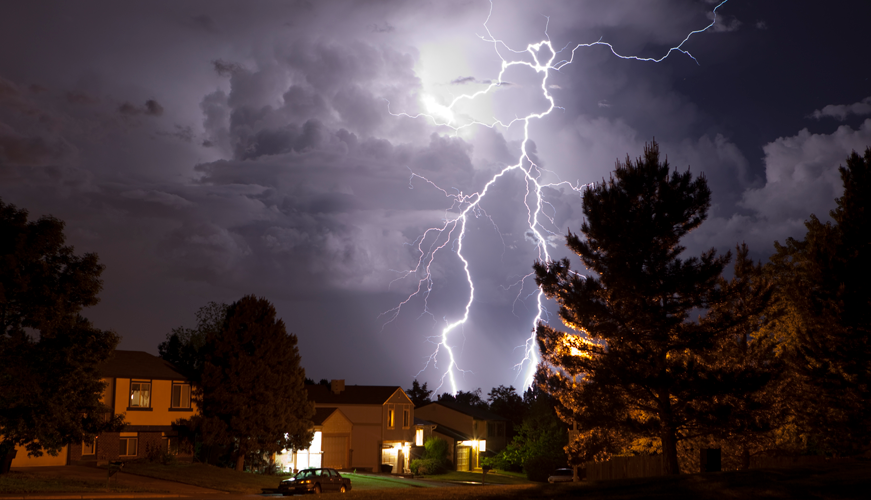
Lightning creates an even broader risk. A direct strike can damage roofing, start a fire, and travel through wiring, plumbing, phone lines, cable lines, antennas, and other metal pathways. That is why a surge strip by itself is not a complete lightning protection plan.
Why Modern Homes Are More Sensitive to Surges
Older homes had fewer electronics. Today, even basic household equipment may contain circuit boards, sensors, digital displays, and electronic controls.
A surge can affect:
- Televisions and computers
- Refrigerators and freezers
- Washing machines and dryers
- Heating and cooling equipment
- Smart thermostats
- Security systems
- Routers and network equipment
- Kitchen appliances
- Garage door openers
- Charging stations
Some damage is easy to spot. The device stops working, a breaker trips, or a control panel goes dark. Other damage is less obvious. An appliance may keep working after a surge but begin failing weeks or months later.
That delayed damage is one reason surge protection matters even in homes that have never experienced an obvious lightning strike.
Start With the Home’s Electrical System
Surge protection works best when the electrical system itself is in good condition. Damaged wiring, poor grounding, loose connections, or an outdated panel can create risks that no plug in device can correct.
Call a licensed electrician if you notice:
- Breakers that trip regularly
- Lights that flicker for no clear reason
- Warm outlets or wall plates
- Buzzing or crackling sounds
- Discolored outlets
- Burning smells
- Sparks when plugging in a device
- Extension cords being used as permanent wiring
- Two prong outlets where grounded outlets are needed
An electrician can check the service panel, grounding, bonding, wiring, and existing surge protection. Older homes may need electrical repairs before new equipment is added.
Add Whole Home Surge Protection
A whole home surge protector is installed at or near the main electrical panel. When excess voltage enters the electrical system, the device directs much of that energy toward the grounding system instead of letting it move freely through household circuits.
This first layer is especially useful for equipment that cannot be plugged into a portable surge protector, such as:
- Air conditioning and heating equipment
- Refrigerators
- Dishwashers
- Ovens
- Washing machines
- Dryers
- Water heaters
- Built in lighting
- Smart home equipment
Whole home surge protection cannot promise that every device will survive every electrical event. Its performance depends on the device, the installation, and the condition of the home’s grounding system.
Because installation involves the electrical panel, this work should be handled by a licensed electrician.
Use Plug-In Surge Protectors for Sensitive Electronics
Whole home protection should be paired with quality surge protectors at the outlet. This second layer helps guard sensitive equipment from voltage that reaches an individual circuit or begins inside the home.
Common items to protect include:
- Computers and monitors
- Televisions
- Gaming systems
- Routers and modems
- Printers
- Audio equipment
- Home theater systems
- Smart home hubs
- Charging stations
A basic power strip is not always a surge protector. Some strips only provide extra outlets and offer no protection from voltage spikes.
Check the packaging before buying. It should clearly identify the product as a surge protective device and list its safety certification and electrical ratings. The number of outlets or the price alone does not tell you how much protection it offers.
Know the Main Types of Surge Protection
Surge protective devices are commonly grouped into three types.
Type 1 protection is installed between the utility service and the home’s electrical equipment. It is meant to handle strong surges entering from outside the property.
Type 2 protection is usually installed at the main panel or a subpanel. This is the type most often used for whole home surge protection.
Type 3 protection is placed close to the equipment being protected. Plug in surge protectors and some protected outlets fall into this group.
Many homes benefit from using more than one type. A licensed electrician can review the panel, grounding, equipment, and local code requirements before recommending the right setup.
Consider Battery Backup for Computers and Network Equipment
An uninterruptible power supply, usually called a UPS, combines battery backup with some surge protection. It can keep equipment running briefly during an outage or give you enough time to save work and shut devices down safely.
A UPS may be useful for:
- Desktop computers
- Modems and routers
- External hard drives
- Network storage
- Security equipment
- Small business equipment
- Approved medical devices
A small UPS is not designed to power an entire house for hours. Its main purpose is to protect connected equipment during brief outages, voltage changes, and sudden loss of power.
Not every model offers the same protection or battery capacity. Check that the unit can support the equipment and total electrical load you plan to connect.
Protect Cable, Phone, and Data Lines Too
A surge does not always enter through an electrical outlet. Lightning may travel through cable lines, phone lines, satellite connections, antennas, and other wiring that comes into the home.
A television may be plugged into a surge protector and still be exposed through the cable line. A computer or security system may face the same risk through network wiring.
For expensive equipment, look at every connected line, not just the power cord. Devices made for cable, phone, and data connections can add protection, but they must be selected for the type of signal and equipment involved.
An electrician, cable technician, or network professional can help identify the right device without creating problems with signal quality.
What a Lightning Protection System Does
A whole home surge protector and a lightning protection system have different jobs.
A lightning protection system may include rooftop air terminals, commonly called lightning rods, along with metal conductors, bonding components, grounding equipment, and surge protective devices. These parts give lightning a planned path toward the ground if the structure is struck.
Lightning rods do not attract lightning. They are meant to carry the electrical energy away from vulnerable parts of the building.
This type of system may be worth considering for homes in areas with frequent thunderstorms, rural properties, exposed locations, taller structures, or homes with valuable equipment. Installation should be completed by a qualified lightning protection contractor using accepted safety standards.
No system can promise that a direct strike will cause no damage. The purpose is to reduce the chance of fire, structural harm, and damage to connected equipment.
Unplug Valuable Electronics Before the Storm Arrives
Physically disconnecting a device from the outlet can offer strong protection from a surge moving through the electrical system. The safest time to do this is before the storm reaches your area.
Consider unplugging:
- Computers
- Televisions
- Gaming systems
- Audio equipment
- Chargers
- Printers
- Other valuable electronics
Once thunder is nearby, stop handling cords and connected equipment. Lightning can travel through wiring and plumbing inside a building.
During a thunderstorm, stay away from corded electronics, sinks, showers, windows, exterior doors, and concrete walls or floors. Wait at least 30 minutes after the last thunder before returning to storm related tasks.
Circuit Breakers Do Not Replace Surge Protectors
Circuit breakers and surge protectors serve different purposes.
A circuit breaker responds when too much current flows through a circuit. It helps keep wiring from overheating and reduces fire risk. It is not designed to stop the quick voltage spikes that harm electronics.
Ground fault circuit interrupters, often called GFCIs, have another job. They reduce the risk of electric shock, especially in places where water and electricity may come close together.
A breaker, GFCI, and surge protector each address a different electrical hazard. One does not replace the others.
Use Surge Protectors Safely
A surge protector can become a fire hazard when it is overloaded, damaged, or used the wrong way.
Follow a few basic rules:
- Plug it directly into a grounded wall outlet
- Do not connect one strip to another
- Do not run cords under rugs or furniture
- Keep the unit away from water and high heat
- Stay within the maker’s load limit
- Replace cracked, discolored, damaged, or hot devices
- Stop using a unit when its protection indicator fails
High power equipment should usually be plugged directly into a proper wall outlet. This includes space heaters, window air conditioners, large kitchen appliances, and other devices that draw a heavy electrical load.
A small office style surge strip is not made for those appliances unless the maker clearly states that it is.
Surge Protectors Do Not Last Forever
The parts inside a surge protector wear down as they absorb or redirect excess voltage. A strip may continue supplying electricity even after its protective ability is gone.
Many models have an indicator light that shows whether surge protection is still active. Check it from time to time. Replace the unit when the light goes out, after a major electrical event, or according to the maker’s recommended schedule.
Do not assume a surge protector is still working simply because the outlets have power. Supplying electricity and protecting equipment are two different things.
Whole home units may also have lights, alarms, or status indicators. Ask the installer how to check the device and what a warning signal means.
Be Careful When Power Returns After an Outage
An outage is not the same as a surge, but voltage changes can happen while service is being restored.
Before an expected outage, unplug sensitive equipment when conditions are safe. After power returns, wait a few minutes before reconnecting every device. Bring major equipment back online gradually rather than turning everything on at once.
This gives the electrical system time to settle and makes it easier to notice unusual behavior.
Keep refrigerator and freezer doors closed during an outage so cold air stays inside. Do not unplug those appliances during an active storm unless flooding, damaged wiring, or another safety concern makes it necessary.
Check for Damage After a Storm
Surge damage is not always dramatic. A device may still turn on but begin restarting, showing errors, or behaving differently.
After a storm or electrical event, watch for:
- Electronics that will not turn on
- Devices that restart without warning
- Flickering or dimming lights
- Tripped breakers
- Burning smells
- Buzzing from outlets or the electrical panel
- Appliance error codes
- Warm or discolored outlets
- Failed surge protector lights
Stop using anything that sparks, smells burned, feels unusually hot, or shows visible damage. Do not open the electrical panel or try to repair wiring unless you are qualified.
Call a licensed electrician when the issue involves several devices, the service panel, outlets, grounding, or household wiring.
What Renters Can Do
Renters may not be able to add panel equipment or make changes to the building’s wiring, but there are still practical steps they can take.
Use good plug in surge protectors for electronics and a UPS for important computer or network equipment. Unplug valuable devices before a storm when it is safe. Report warm outlets, exposed wiring, frequent breaker trips, and damaged wall plates to the landlord or property manager.
You can also ask whether the property has whole building surge protection or a lightning protection system. Do not replace outlets or install panel equipment without permission and qualified help.
Use More Than One Layer of Protection
No single product can guard a home from every lightning strike, utility problem, wiring issue, or internal voltage spike.
A sound plan starts with safe wiring and proper grounding. Whole home surge protection adds a first layer at the electrical panel. Plug in devices add protection for sensitive electronics, while a UPS can help computers and network equipment handle short outages. Some properties may also benefit from a professionally installed lightning protection system.
Storm habits matter just as much. Unplug valuable electronics before severe weather reaches the area, then leave cords, wiring, and plumbing alone once thunder begins.
These steps cannot remove every risk, but together they can reduce the chance that one electrical event causes widespread and costly damage throughout the home.